Monday, June 9, 2014

JoyBidder eBay Auction Sniper App for Android dev version screen shots

Screen shots from JoyBidder eBay Auction Sniper App v0.95 for Android.
Add or Import from eBay watch list
item status filter
eBay auction item list
auction item detail, schedule bid or cancel bid. landscape mode
sign in with eBay ID

Friday, May 23, 2014

If JoyBidder auction sniper cannot login to eBay because of CAPTCHA ...

After you change eBay password, you will likely get CAPTCHA when sign in to eBay.

JoyBidder cannot login to eBay if CAPTCHA is required. If JoyBidder cannot login to eBay, you cannot add or update eBay ID in JoyBidder, add/update items and obviously cannot bid.

Usually eBay removes CAPTCHA after you successfully login and logout several times and wait for some hours, or may be 1 day or even longer.

If you cannot wait, here is a temporary workaround for JoyBidder Pro. (This also works for JoyBidder Free for Firefox Addon, but not for JoyBidder Free desktop application)
  1. DO NOT delete eBay ID from JoyBidder User Manager
  2. (Optional) Backup item list using "Backup Data" feature from Help menu so we can restore later
  3. Remove all items from JoyBidder Pro
  4. Open JoyBidder Pro build-in web browser and go to the eBay site you want to login to. (JoyBidder imports watch list from the default eBay site listed in the JoyBidder User Manager, so make sure you are login to that site)
  5. Sign out from eBay JoyBidder build-in web browser.
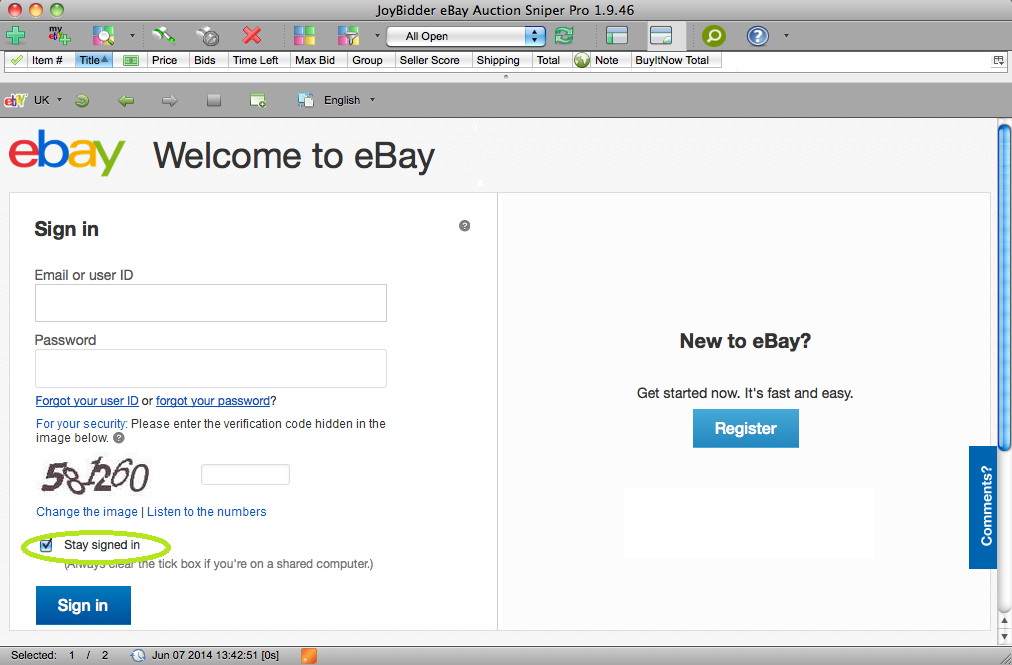
  6. Sign in your eBay ID in JoyBidder build-in web browser, enter CAPTCHA, and select "Stay Signed In".
  7. Enable "I am CAPTCHA'ed" option in JoyBidder User Manager. (Requires JoyBidder Pro 1.9.46 and above)
  8. Restart JoyBidder (and Firefox if using JoyBidder Firefox extension). Verify the workaround works by importing eBay watch list.
  9. If you restart JoyBidder, verify if you are still signed in the build-in web browser. If not,  repeat the steps.

Because you login to eBay successfully manually through JoyBidder build-in browser, JoyBidder won't try to and don't need to login on your behalf again. It cannot, anyway, since it won't pass the CAPTCHA process.

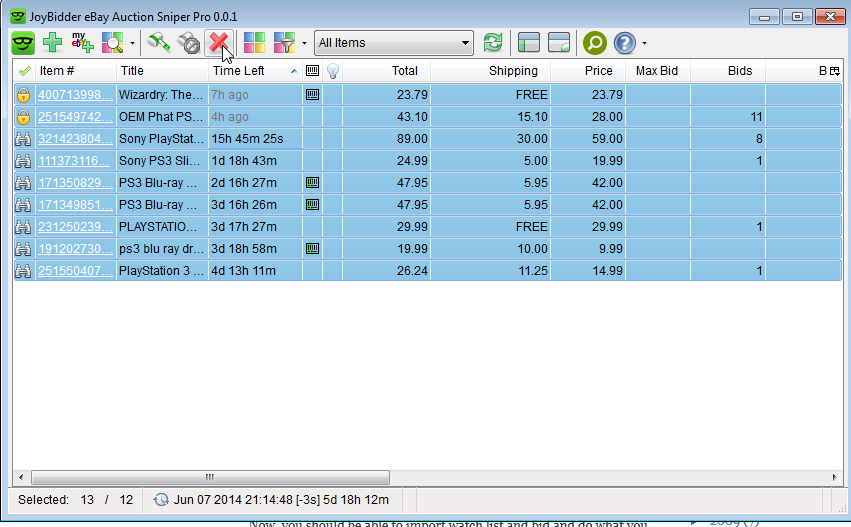
Now, you should be able to import watch list and bid and do what you normally with JoyBidder.

IMPORTANT
BUT, remember, this is a temporary solution, because even if you are signed in and select "Stay Signed in" in build-in web browser, eBay can still sign you out anytime it wants. Until CAPTCHA is removed and  you have successfully update your eBay ID and password in JoyBidder User Manager, JoyBidder not longer can login you in automatically.  However, until you are sure CAPTCHA is no longer required, don't go to User Manager to update your eBay account information or . If you do, you could be signed out and need to go through the above steps again. On the other hand, once CAPTCHA is removed, please disable the "I am CAPCHA'ed" option ASAP.


Wednesday, May 21, 2014

[fixed] bug alert: wrong shipping cost

eBay shipping cost is incorrect in JoyBidder Pro 1.9.36. Many eBay auction items will appear to be Free shipping, which is incorrect. Fixing now.

Latest update: This bug is fixed in 1.9.37. Please remove items and add them again to JoyBidder to show the correct shipping cost. See the latest release note for JoyBidder eBay auction sniper Pro edition.

Monday, May 19, 2014

JoyBidder Auction Sniper screen shots from iPhone Safari

Updated to version 0.5.3.

Here are more screen shots of JoyBidder eBay Auction Sniper Mobile Web taken right from my iPhone 5.

Read here to learn more about how to use JoyBidder to snipe eBay auction from mobile device


Thursday, May 8, 2014

Snipe eBay auctions using JoyBidder mobile web app


JoyBidder eBay Auction Sniper Mobile Web App is in beta test now.

It can
  • snipe eBay auctions
  • import items from your eBay watch list
  • add items by eBay item number(s)
  • refresh item list
  • sort and filter item list
It has less features than JoyBidder Pro Desktop and not as fast.

However, it runs on the web browser of your mobile device and doesn't need to be kept running to snipe. It should be useful for many of us.

It is in beta testing now accepting a limited number of testers.  Contact joybidder.support@gmail.com, if you want to participate the free beta trial. Each beta tester gets 5 free server sniping credits to use for testing.

Load http://www.joybidder.com/mobile  in your iPhone/iPad/Android or desktop web browser and give it a try


Wednesday, April 30, 2014

[update] slow connectivity to our web site


If JoyBidder.com is slow to load since last night, so this is what is happening.
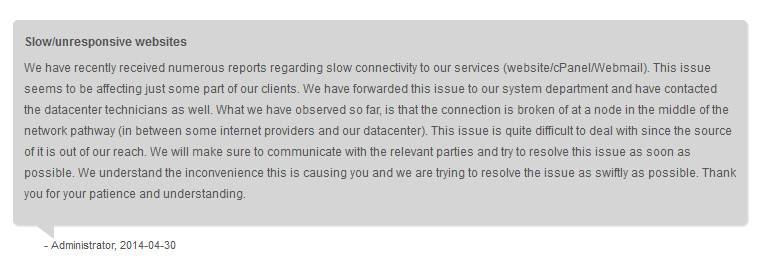
"The connection is broken of at a node in the middle of the network pathway (in between some Internet providers and our data center)".  
The IT guys at our hosting service is working on it. See the screen capture of the announcement from our web site admin console. The server sniping and cloud backup and restore service are still working, although it could be slower and you may need to try one or two more times get the data submitted successfully.

Only a small portion of our users are affected.


Updated May, 5th, 2014
The problem is still not yet resolved. Looks like Comcast users are affected the most.

Monday, April 21, 2014

Introduce JoyBidder Server Sniping Service

What is JoyBidder Sniping Service?

JoyBidder sniping service submits sniping bids from server, so you don’t need to keep JoyBidder Pro running on your own computer to snipe. You need both a valid JoyBidder Pro license and adequate pre-paid snipes to use the service. The service is optional. Don’t buy pre-paid snipes if you don’t plan to use this service. More info on server sniping.

The pricing of the service is following